
Mandates in Console
Manage payment mandates within the Console UI, alongside the API.
The Mandates in Console feature provides you with a centralized, user-friendly interface within the TrueLayer Console to manage the lifecycle of payment mandates. While you can programmatically create and manage mandates with the API, this feature enables non-technical users (Operations, Support, Finance) to search and view mandates without writing code.
This benefits:
- Customer Support, who may need to verify if a customer has an active mandate.
- Operations, who may want visibility into failed or revoked mandates for reconciliation.
- Compliance, who need a clear audit trail of mandate statuses and constraints in a human-readable format.
To revoke a mandate, you still need to use the API endpoint.
View the mandates table
To access the mandate table, go to the Payments tab and select Mandates.
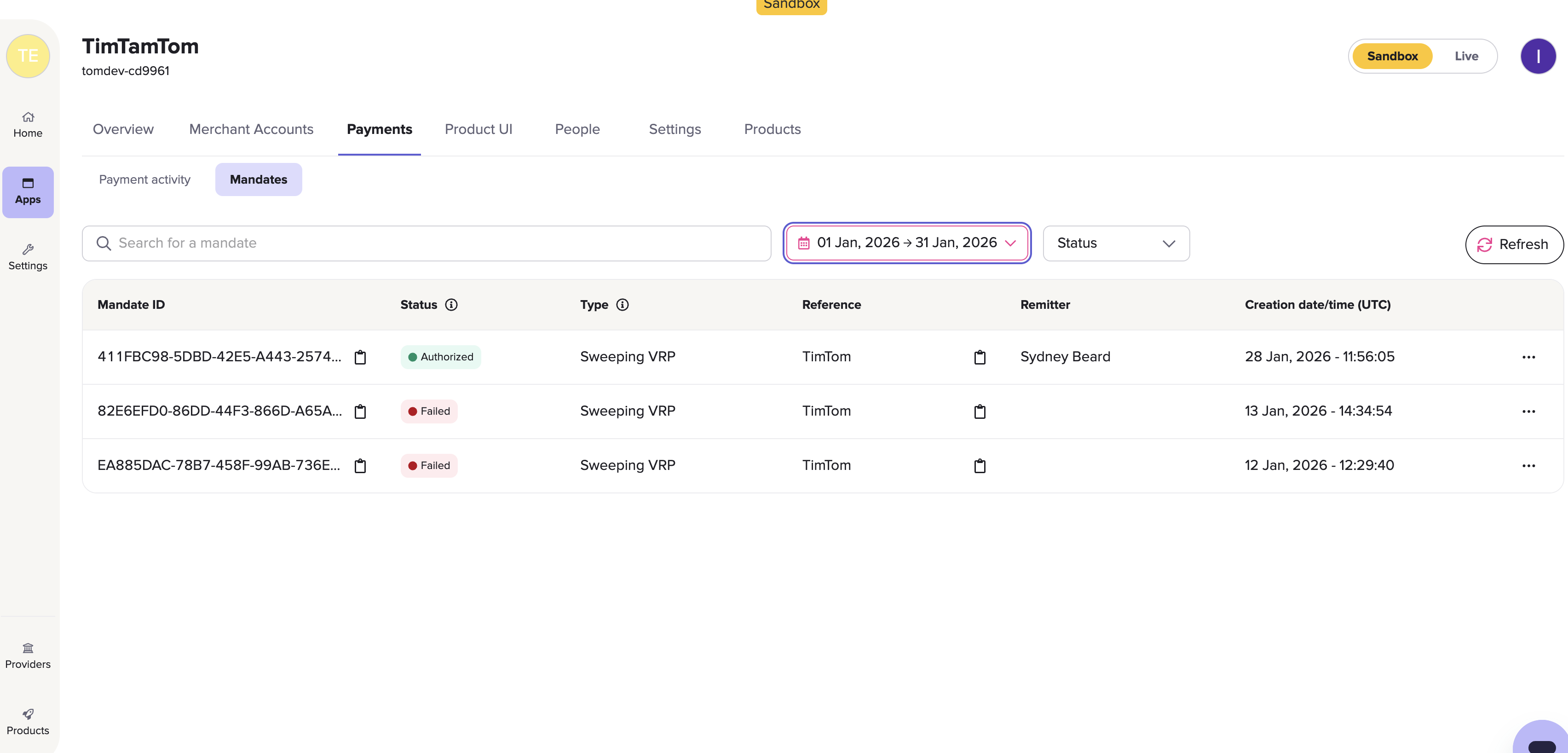
The mandates table
Within the mandates table, you can view the following for each mandate:
- Mandate ID
- Status
- Type
- A reference for the mandate
- Remitter name
- Creation date/time
These are the possible mandate statuses:
- Auth required
- Authorising
- Authorized
- Failed
- Revoked
These are the possible mandate types:
- Sweeping VRP
- Commercial VRP
- Direct Debit
The mandate types displayed in the table are determined by your current feature permissions.
Mandate details
When you click on a mandate, you can see additional information about that mandate. This includes:
- The lifecycle of the mandate, including timestamps for when the mandate reached each status
- The date and time that the mandate is valid from and to
- Any other parameters, such as a minimum or maximum amount for each payment
- The maximum amount that can be paid within a period that the customer sets
- The remitter’s name, sort code and account number
- A user ID associated with the remitter
- The merchant account ID of the beneficiary (you)
- The beneficiary name, sort code and account number
- Any metadata associated with that specific mandate
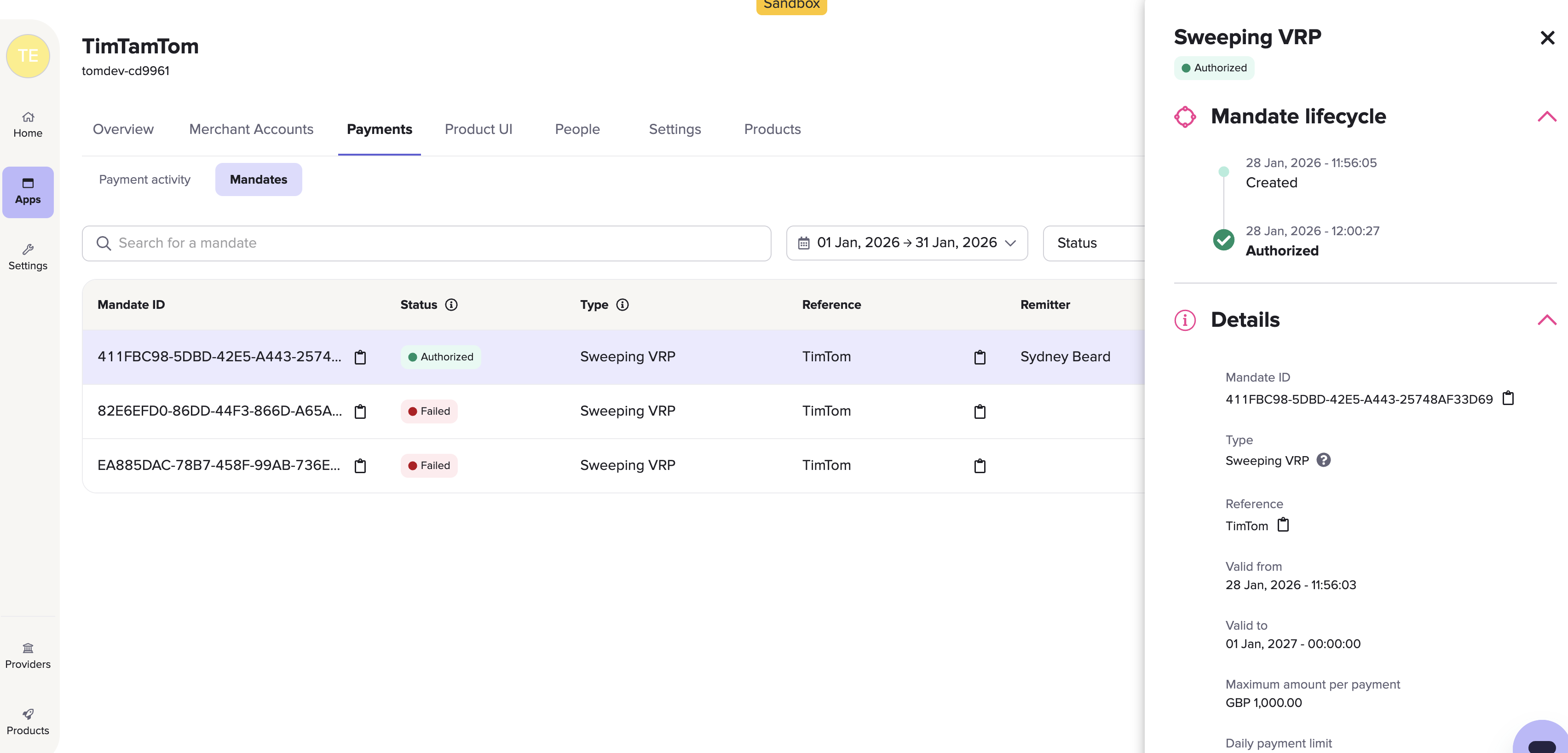
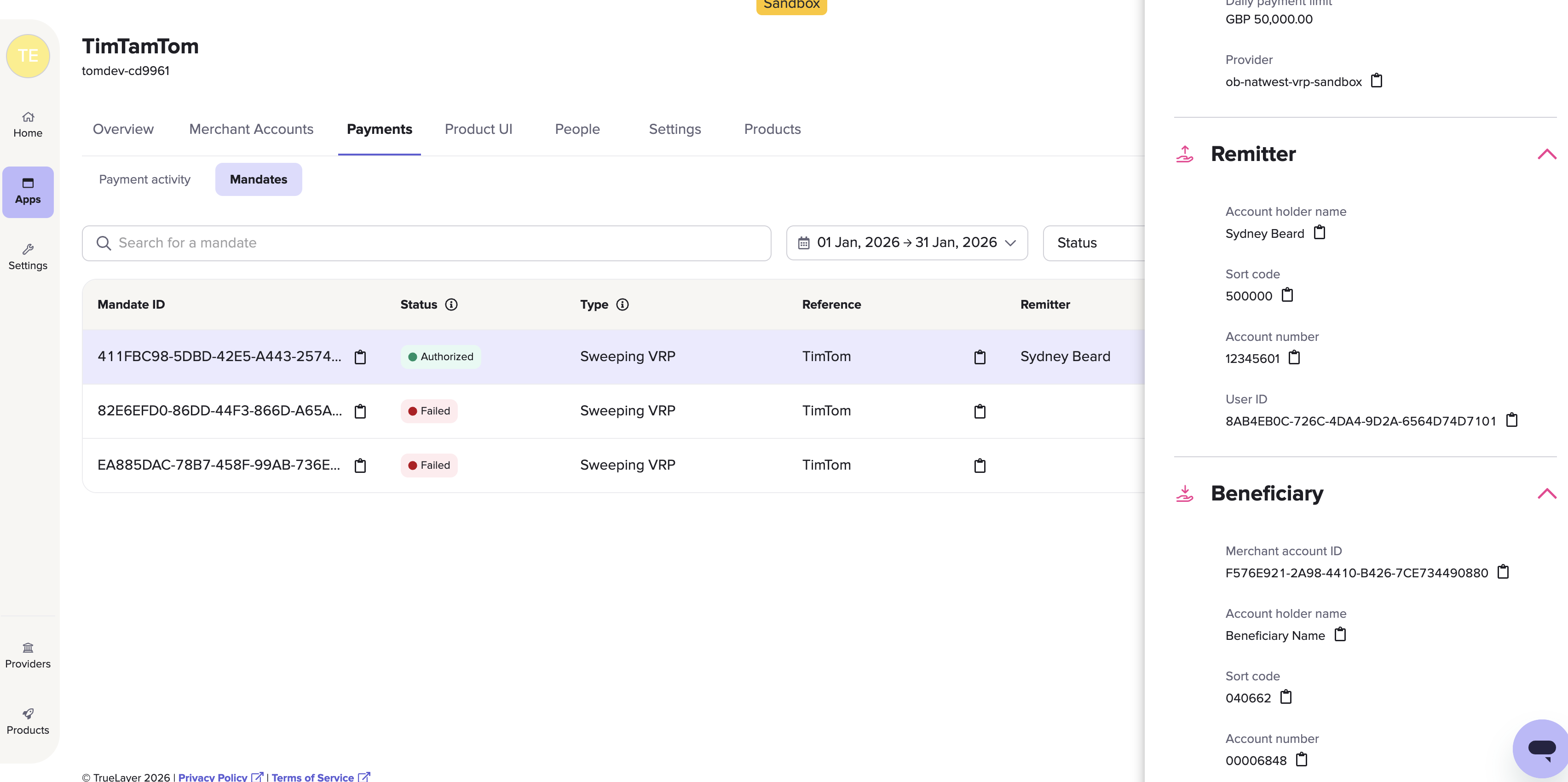
Full view of the mandate details panel.
See what payments were made on a specific mandate
On the Payment activity tab, you can see the mandate ID of a specific payment if it has been made on a mandate.
To find all payments made on a particular mandate, search the Payment activity table with the mandate ID. You will still need to use the date range tool to filter the results if the payments were created over multiple months.
Updated 7 months ago